Turn one long video into a week of content.
ClipShot Studio finds the moments that hook, makes them impossible to scroll past, and gets them ready to post. All on your Mac. No uploads. No limits.
14-day free trial·No watermark·Cancel anytime
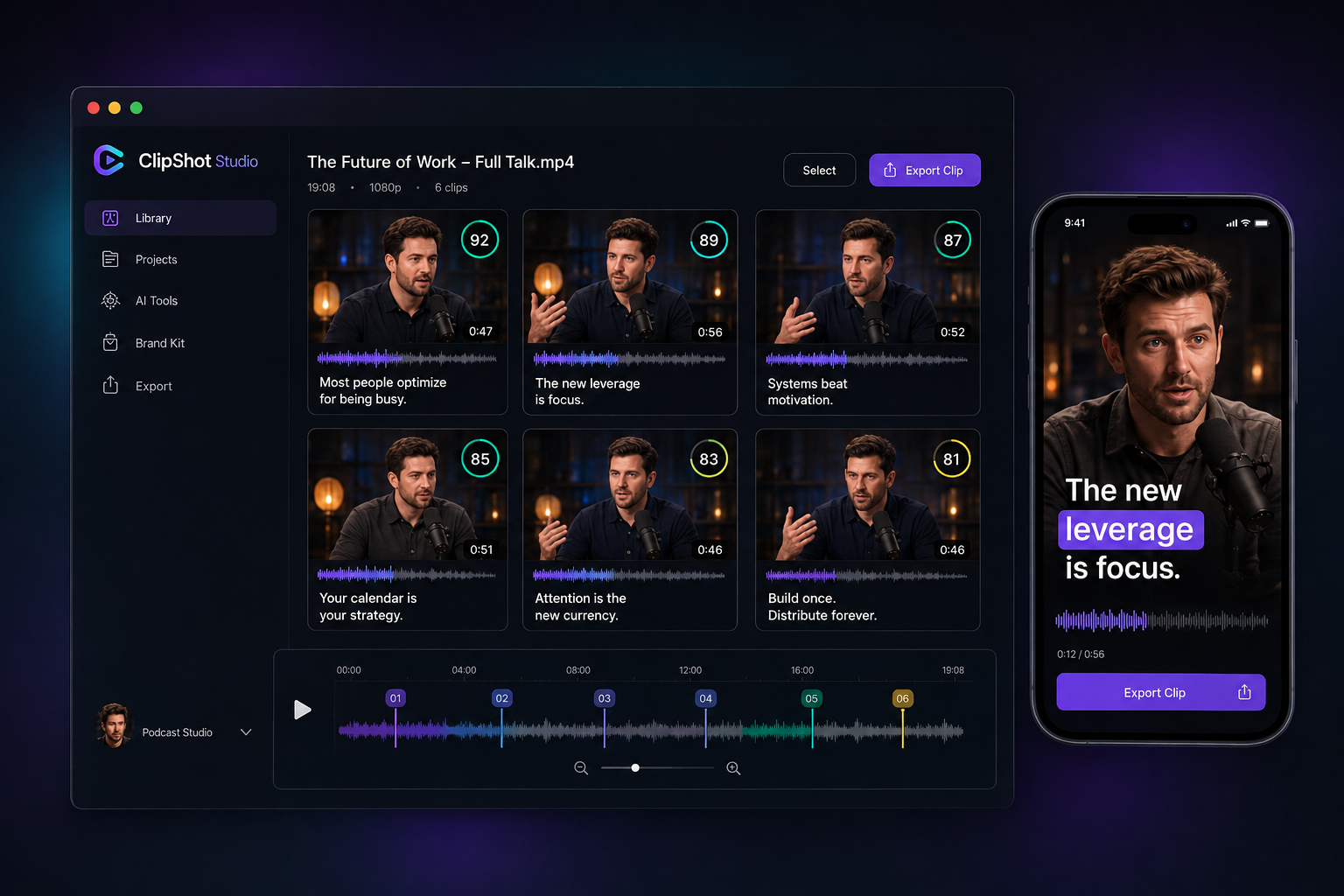
Everything you need to make clips that perform.
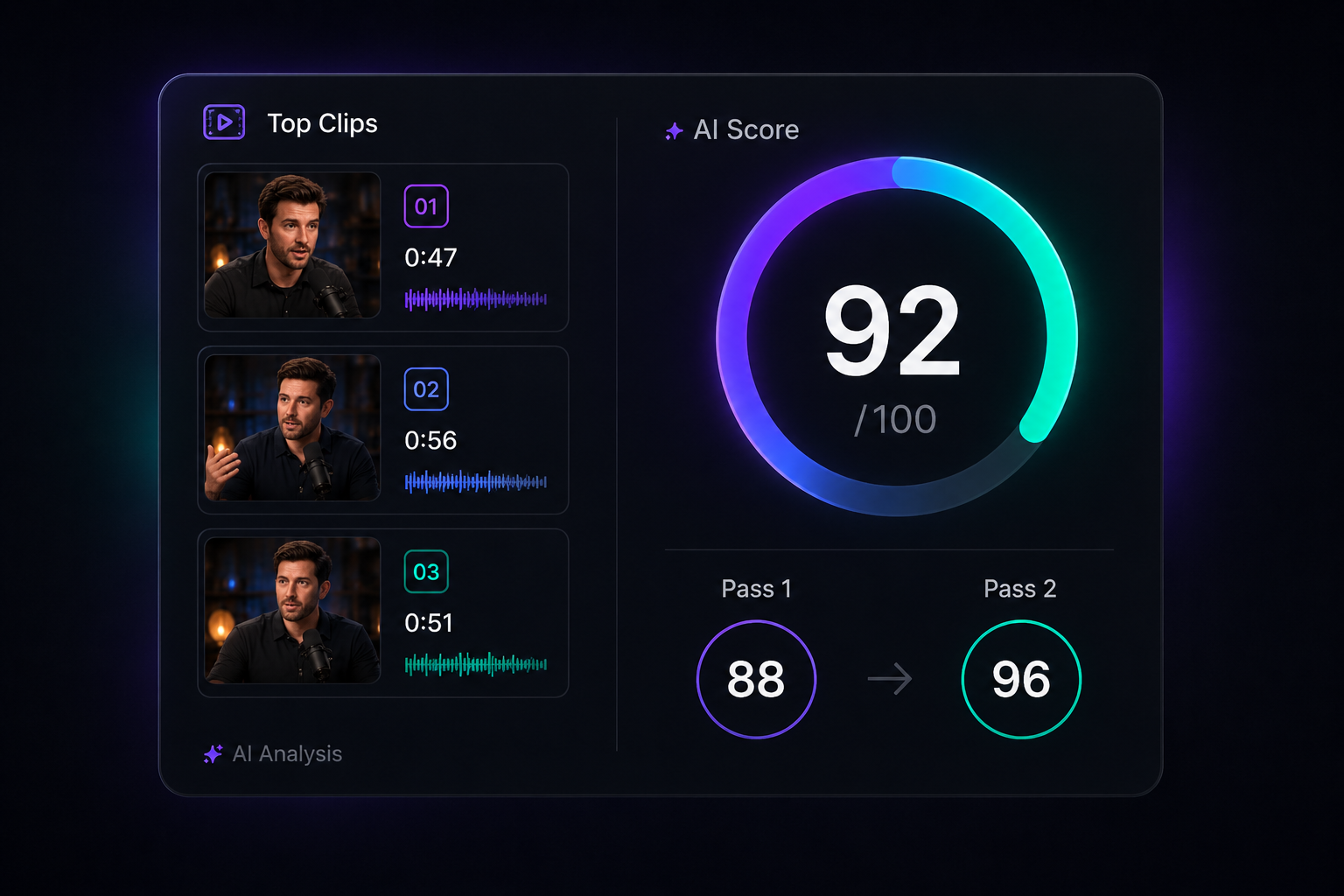
 AI that finds the real moments
Two AI passes score every moment 0–100 so you get complete thoughts that hook fast and land the payoff.
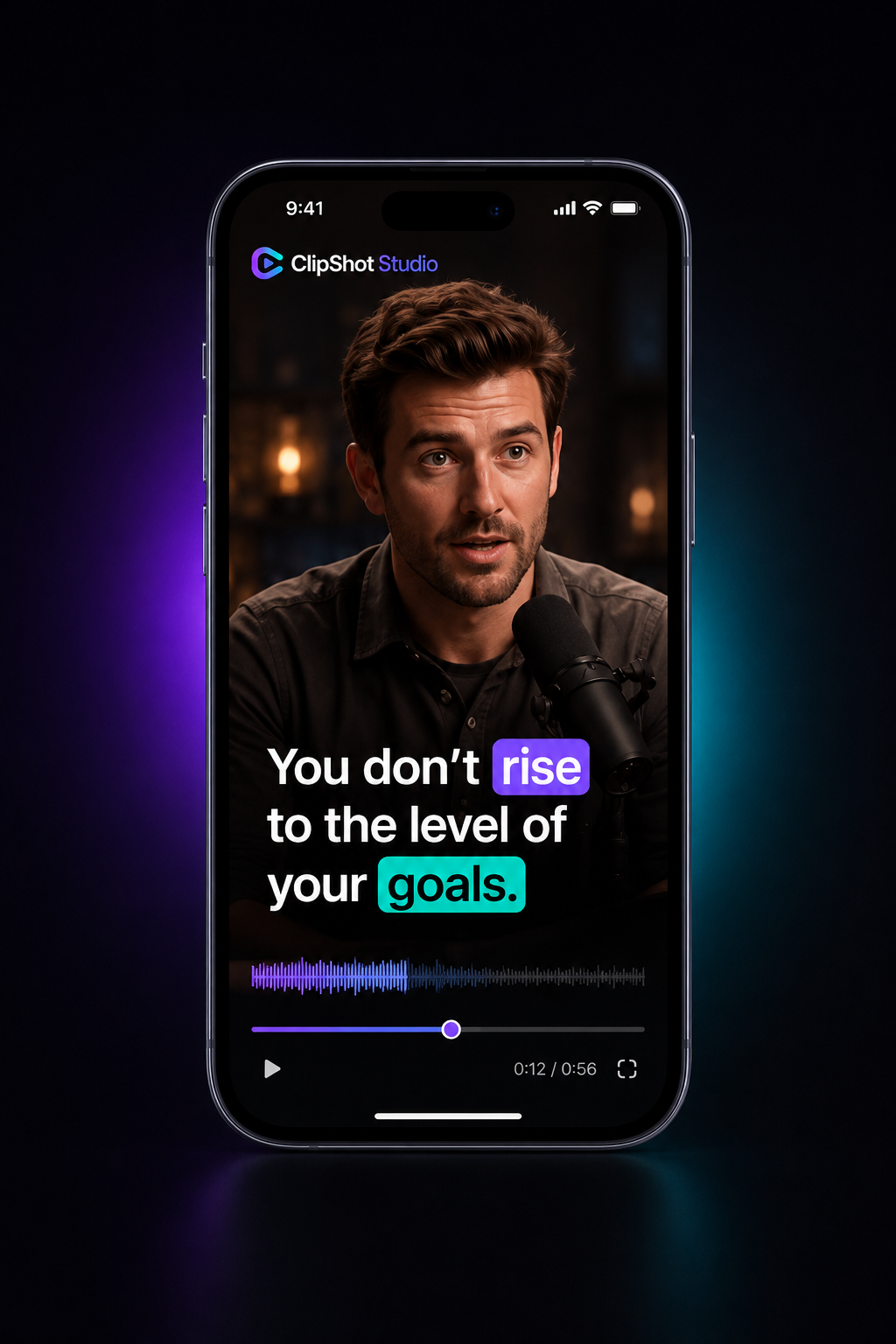
 Karaoke captions that pop
Word-synced captions with active-word highlighting, money-word colors, and safe-zone placement.
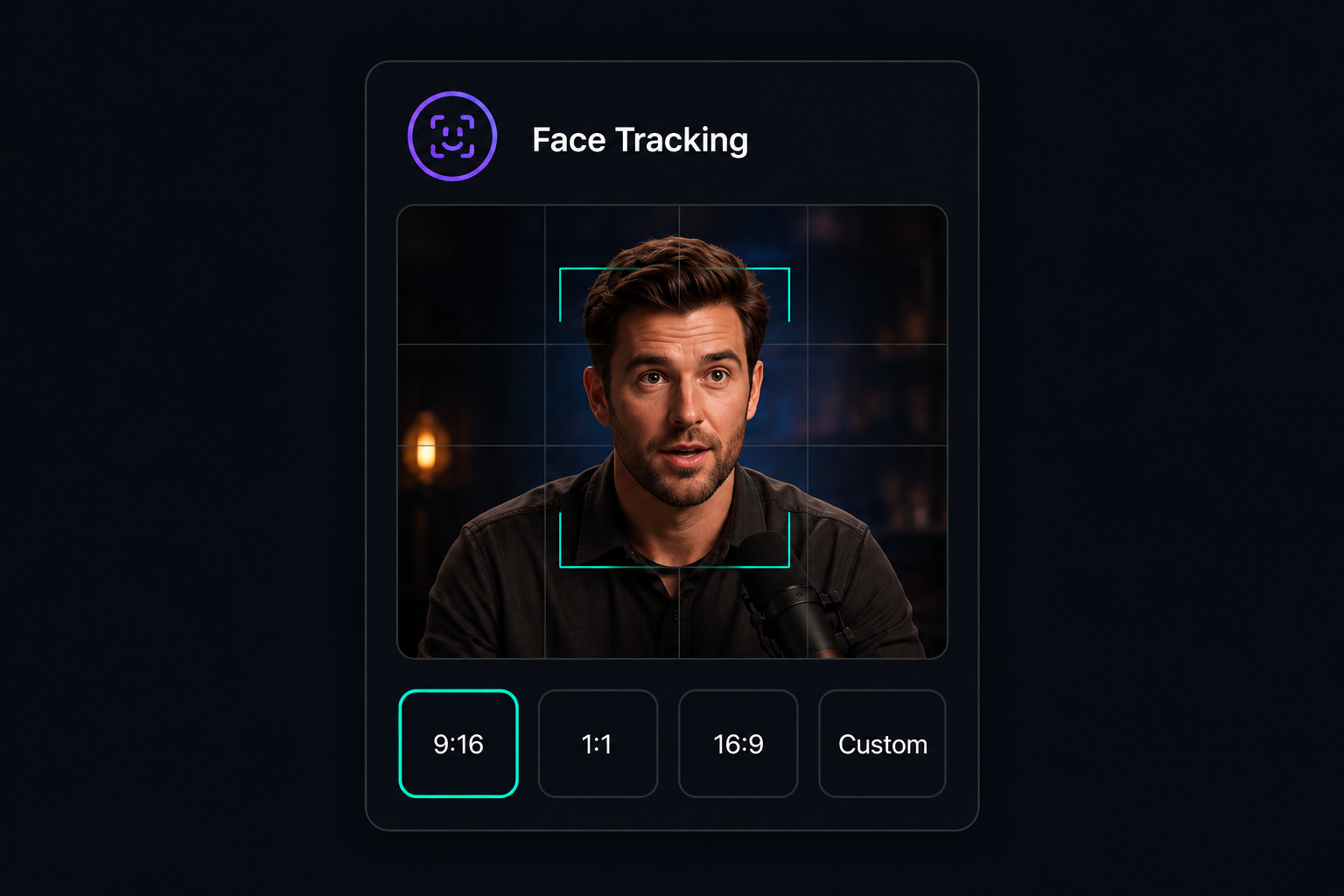
 Face-tracked reframe
A smoothed virtual camera keeps your speaker centered. 9:16, 1:1, or 16:9 — or drag the frame yourself.
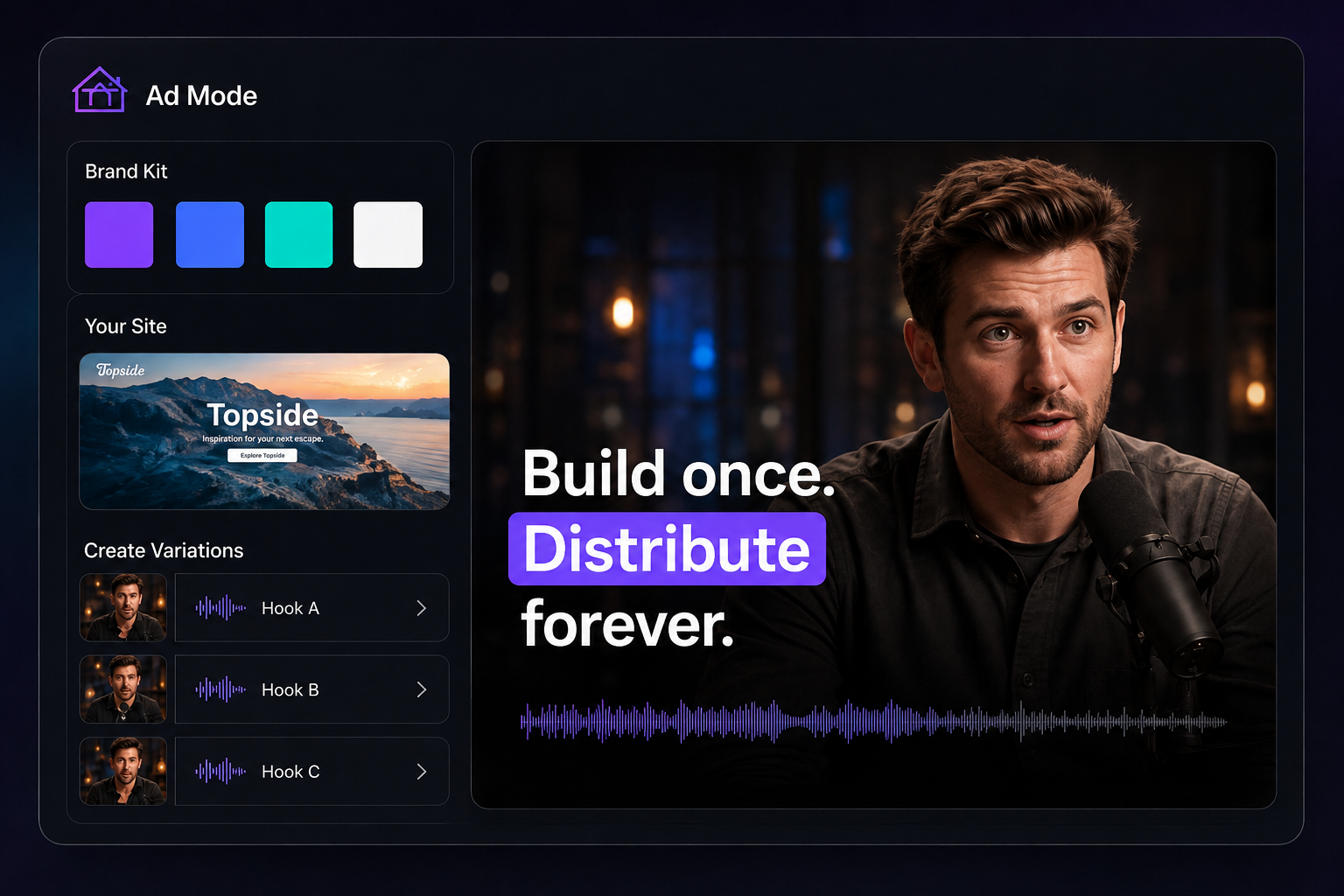
 Ad Mode: storyboarded ads
Build motion-graphic ads from any clip. Brand colors from your site, animated count-ups, A/B hooks, and B-roll.
10× more video. On your own machine.
Cloud clipping tools meter every minute you upload. ClipShot renders on your Mac, so the only limit is how much you film.
- PrivateYour footage never leaves your Mac. Nothing to upload, nothing to leak.
- No upload limitsProcess as much source video as your plan covers — no file-size caps.
- FastBuilt for Apple Silicon. A 19-minute talk becomes six clips in about two minutes.
- Lower costNo cloud rendering bills baked into your price. Your Mac does the heavy lifting.
How it works
Drop a video
Drag in any long-form talking video — a podcast, a webinar, a talk. That's the whole job.
Review the draft
ClipShot scores every moment and drafts the best clips with captions, reframing, and hooks applied.
Render & ship
Export 9:16, 1:1, or 16:9 MP4s — clean 1080p, no watermark, ready for TikTok, Reels, Shorts, and LinkedIn.
Simple pricing. Every plan starts free.
Starter
- ~15 hours of source video / month
- AI clips
- Karaoke captions
- Face-tracked reframe
- Scheduling
Pro
- Everything in Starter, plus:
- ~50 hours of source video / month
- Ad Mode (brand kits + A/B hooks)
- Site B-roll
- Sound design from your library
- Priority processing
Studio
- Everything in Pro, plus:
- ~150 hours of source video / month
- Highest-priority processing
- Earliest features
- Direct roadmap line
Included with every plan
Common questions
Is there a watermark?
No. Every plan — including the free trial — renders clean, watermark-free video.
Where does ClipShot run?
Entirely on your Mac (Apple Silicon). Your footage never uploads anywhere; only the AI analysis calls go to the cloud, metered to your plan.
What formats can I export?
Vertical 9:16, square 1:1, and wide 16:9 MP4s — 1080p, no watermark, ready for every platform.
Can I change the captions?
Yes. Captions are word-level editable: click words to cut them, restyle highlights, or move the safe zone.
What happens after I cancel?
The app stops making new clips at the end of your billing period. Everything you already rendered stays on your Mac, forever yours.
How does the license work?
Checkout emails you a license key (CS-XXXX-XXXX-XXXX). Paste it into the Mac app once — it activates online and keeps working even when you're offline.